
Mozilla will turn on its Nova interface redesign for every Firefox user in version 157, which ships on 29 September 2026. The code is already in the browser behind a switched-off preference, so anyone who wants a look early has a route in.
Nova is the first full visual overhaul since Proton in 2021. Mozilla describes softer tab shapes, updated icons and a warmer color palette it says was inspired by the feeling of fire. Menus, panels and controls are being standardized so desktop and mobile stop drifting apart, and the Settings menu is being rebuilt so privacy controls are easier to read and act on.
What arrives on the 29th is milder than the March pitch. That version leaned on rounded elements, floating toolbars, web content framed away from the window edge, and a lot of pastel gradient. Over the summer the roundness came down, the gaps that floated the toolbars away from the page were closed, the default gradient was softened, and a compact mode came back for anyone who does not want the extra padding.
The September timing is partly a side effect of a schedule change. Firefox moved to a two-week release cycle starting with version 155 on 1 September, two weeks earlier than that release was originally planned, which pulled 157 into the same month. For scale on how rare this kind of change is: Australis landed in 2014, Photon in 2017, Proton in 2021.
Two things are worth knowing before flipping the switch early. The build behind the preference is not the build shipping on the 29th. Earlier testers also hit real breakage, including pinned tabs stretched across the whole top of the window hiding every other tab, and an address bar with buttons scattered out of position. Reports from May also named a different preference than the one in circulation now, so a flag copied from an older write-up may simply do nothing.
Mozilla has separately said the browser should feel faster, pointing to a 9% improvement in load times for key page content over the past year. That figure covers a year of engineering work, not Nova.
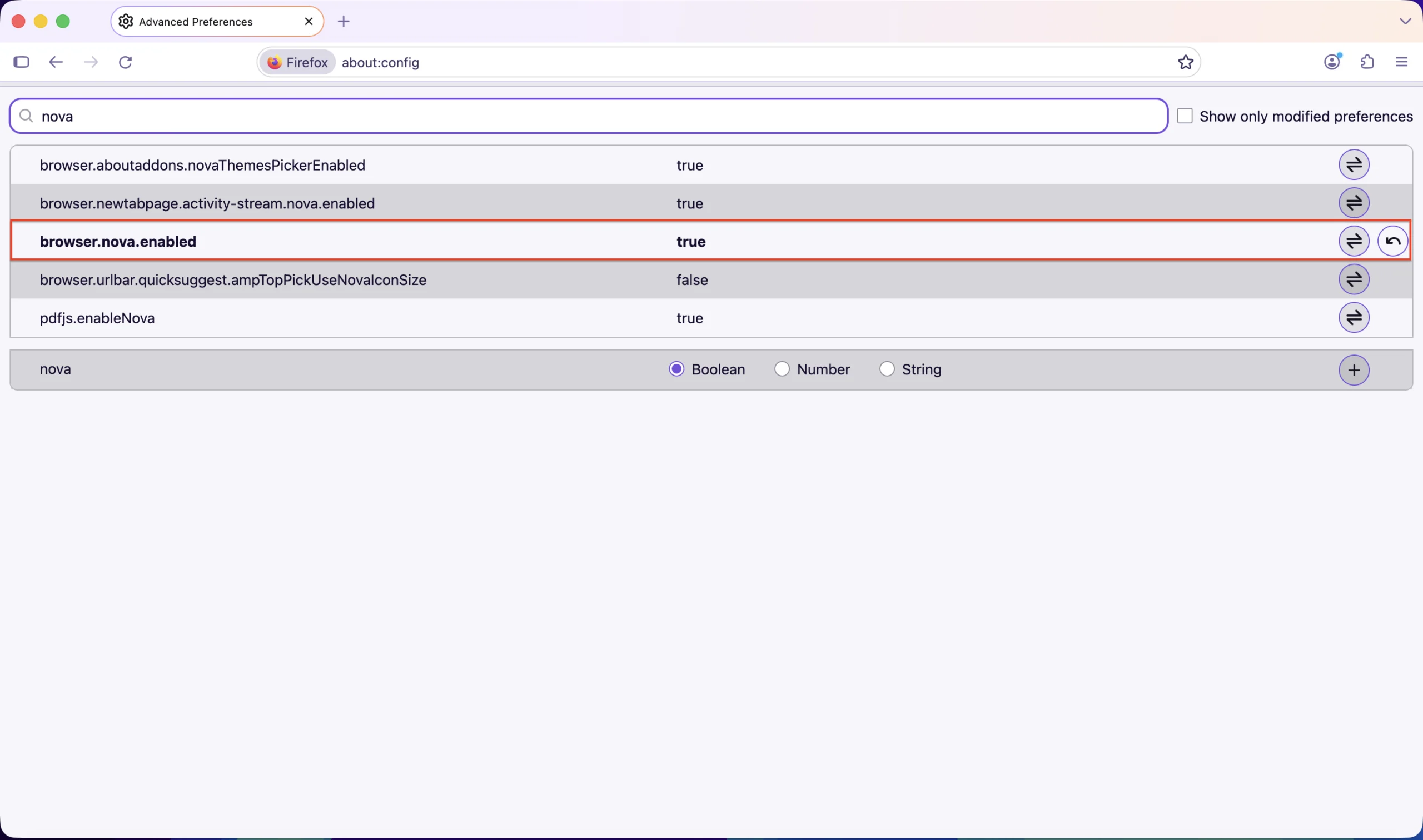
If you want to see it before the 29th
As of early September the preference is reported to work in the stable release and not only in Nightly, though Nightly is where the design tracks closest to what actually ships.
To undo it, set the same preference back to false and restart again. Nothing else needs touching.
Anyone setting the browser up from scratch will find the current stable build of Mozilla Firefox in our library. And if a redesign is what has you weighing browsers in the first place, Brave vs Firefox vs Opera covers where each one actually lands on privacy.
For everyone else there is nothing to do. The next date that matters is 29 September, when 157 ships and the preference stops being the only way in.


