
The best attack anyone has published against full AES-256 beats trying every possible key by a factor of about four. Set against a key space that runs to seventy-eight digits, a factor of four is nothing at all. That result dates from 2011 and it is still the closest public cryptanalysis has come.
So the cipher holds. Which makes the interesting question a different one: not whether AES-256 can be broken, but what it was ever asked to cover. Most of the ways people actually lose their files happen in places the cipher was never looking.
Here is the whole idea in one paragraph. AES-256 takes your data and a key 256 bits long, then scrambles the data so thoroughly that the output is indistinguishable from noise. The same key reverses the process. Data plus key in, noise out. Noise plus key in, data back. Anyone holding that key reads everything. Anyone without it holds a pile of static.
AES-256 protects data while it is locked and away from you. It does nothing about what happens while the data is unlocked, and nothing about who else holds the key.
The one job it does, and does well
AES is a symmetric cipher, meaning the same key locks and unlocks. It works on fixed 128-bit chunks of data, running each one through fourteen rounds of substitution and shuffling when the key is 256 bits long. The National Institute of Standards and Technology published it as an open standard in 2001, which is why it turns up everywhere instead of sitting behind a licence.
That shape decides what it covers. A laptop taken from a car, a USB stick left on a train, a drive pulled out of a machine that went off for repair, an encrypted backup that lands on the wrong desk: in each of those the other person ends up holding your hardware and not your key, and what they have stays noise. Losing the physical object is the threat AES-256 was built for, and against that threat it is close to absolute.
Nobody has broken it. Not a government, not academia, not a leak. The attacks that exist are theoretical shavings off the edge of brute force, and brute force was already impossible.
Quantum computing does not change that as much as the headlines suggest. Grover’s algorithm speeds up key searching, which halves the effective strength of a symmetric key, so a 256-bit key would behave like a 128-bit one against a working quantum machine. A 128-bit key is still out of reach. NIST’s own position is that AES-192 and AES-256 stay safe for a very long time. The part of your encryption that quantum computing genuinely threatens is the key exchange, the handshake that agrees on a key before AES ever starts, and that is a different algorithm entirely.
The places it is already working for you
You are using AES many times a day without ever choosing it. The connection carrying this page is almost certainly encrypted with it, and so are your phone’s storage, your Wi-Fi link, the vault inside your password manager, most encrypted archives, and the drive encryption built into Windows and macOS. The 256-bit version is the common choice for storage, vaults and archives, while Wi-Fi normally runs the same cipher with a 128-bit key.
That ubiquity is exactly why the marketing phrases mean so little. When a product advertises military-grade encryption or bank-level encryption, it is saying AES-256 and nothing else. Every serious competitor uses the same cipher. The phrase describes the floor of the industry, not a feature anyone chose.
The questions that separate one product from another sit around the cipher, never inside it. Who holds the key. Whether the code has been audited by someone outside the company. What the app does with your data before encryption starts and after decryption ends.
Four things it will not save you from
Malware running on your own machine is the first and biggest. Encryption protects data at rest, and nothing on a computer you are logged into is at rest. Your disk is unlocked, your vault is open, your session is live. Credential-stealing malware simply reads what you can read and copies session cookies so it can walk into your accounts without ever meeting a password prompt. A stolen live session does not care how the drive was encrypted. Keeping that malware off the machine is a job for your antivirus and your firewall, not for the cipher.
A guessable password is the second. Your password is not the key. Software runs it through a key derivation function to produce the actual 256-bit key, so an attacker who wants your data attacks the password instead, guessing millions of candidates offline. Twelve random characters and a common word ending in an exclamation mark both produce a perfectly valid AES-256 key. Only one of them survives contact with a cracking rig, which is the practical case for using a password manager and letting it invent something no wordlist contains.
Metadata is the third, and the one people forget. Encryption hides content, not shape. File sizes, timestamps, how many files there are, often the file names, and in the case of a message the fact that you contacted someone at all: none of that is inside the encrypted blob. Investigators and advertisers alike have built entire cases from metadata without decrypting a single byte.
Somebody else holding the key is the fourth. A cloud service that says your data is encrypted at rest is usually describing encryption where the service owns the keys, so it can read your files whenever it wants to, and so can anyone who compromises it or subpoenas it. End-to-end or zero-knowledge encryption means the provider never sees the key. Same cipher, opposite outcome for you. The claim to look for is who holds the key, not which algorithm was used.
The settings that decide what you actually get
Two examples show how much the configuration matters, and both are things you can check in a couple of minutes.
Archives first. Create a plain .zip file in 7-Zip, choose AES-256, and the contents are properly encrypted, but the file list is not. Anyone who opens that archive sees every file name, folder name and size before they hit the password prompt. Naming a folder tax-returns-2019 tells the story on its own. The fix costs one click: pick the 7z format instead of zip, and tick Encrypt file names. Only the 7z container can hide its own directory, a limitation of the zip format rather than of the tool, and the 7-Zip download page carries the build that gives you both options.
Drive encryption second. BitLocker is not set to 256-bit out of the box. Microsoft’s documentation states that when the policy is left unconfigured, BitLocker uses XTS-AES 128-bit, and automatic encryption during setup does the same. Run manage-bde -status in an administrator command prompt and it will tell you which one your drive got. The catch is timing: the method can only be chosen before a volume is encrypted, so a drive already protected by Microsoft’s default stays that way unless you decrypt and start again. For almost everyone 128-bit is fine. It is worth knowing anyway, because the number on the box was never the number on your disk.
So is AES-256 enough?
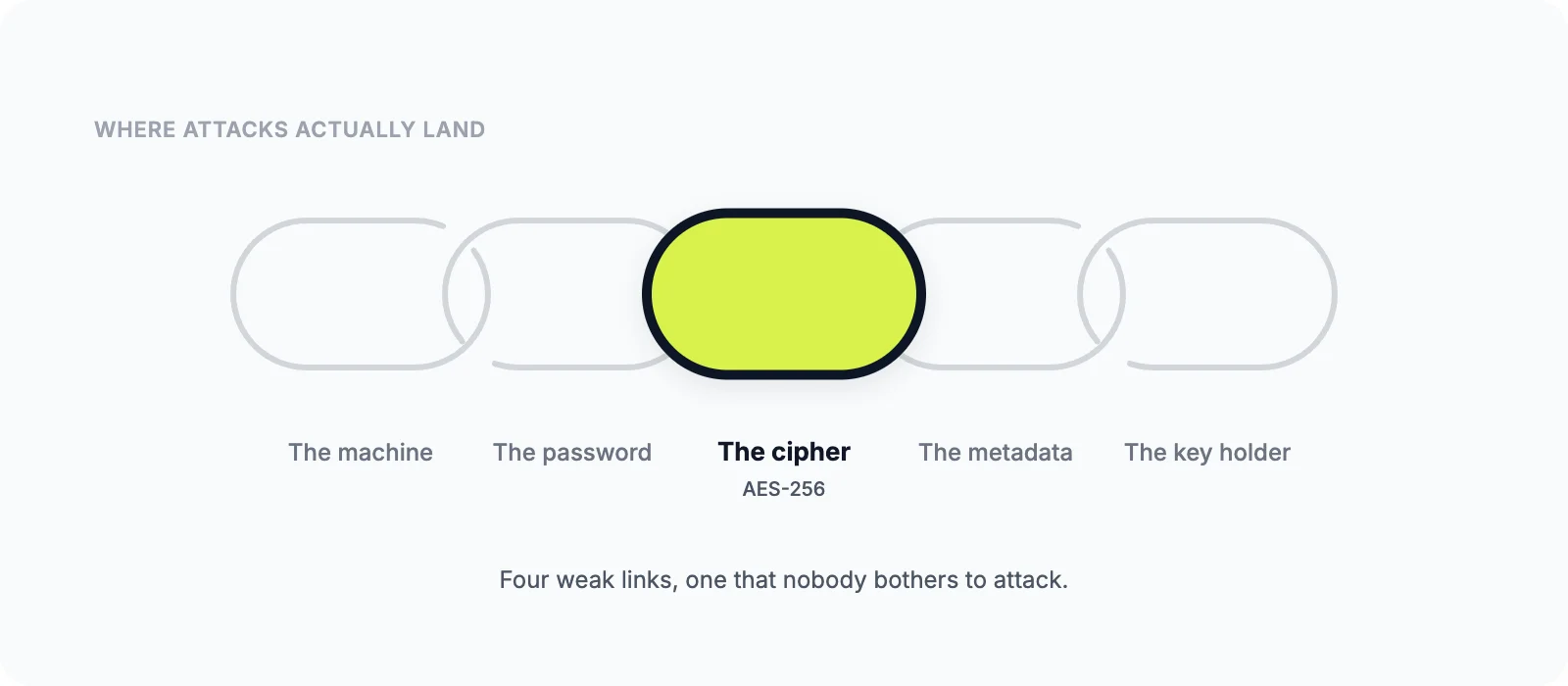
For the narrow job it does, yes, and there is no realistic argument otherwise. As a description of whether your data is safe, no, because the cipher is the one part of the chain nobody attacks. Attackers go after the machine, the password, the metadata and the company holding the key, in roughly that order.
Treat AES-256 as the entry ticket rather than the verdict. When you are choosing software, read past the label and ask who holds the key, whether anyone independent has checked the code, and which options you have to switch on yourself. Then go and switch them on. Encrypting an archive properly takes one extra checkbox, and that checkbox does more for you than any upgrade from 128 bits to 256 ever will.


