

Seven consumer security products took home the top Advanced+ award in AV-Comparatives’ Real-World Protection Test covering February to May 2026. Bitdefender made the list. So did Norton, Avast, AVG, TotalAV, and Kaspersky. And so did Microsoft Defender, the one already running on your PC before you peeled off the shrink wrap.
That fact alone does not settle the question, because enough is a slippery word: enough for whom, doing what, on which network. So rather than opening with a verdict, this review walks Defender through the same five criteria every Softoto review uses, scores each one in the open, and assembles the stars at the end. One note on method first: this is research-based analysis built on published results from AV-TEST and AV-Comparatives plus Microsoft’s own documentation. The labs ran the malware. We read the reports.
Protection, scored by the people who feed it malware
In AV-TEST’s January to February 2026 evaluation, Defender posted a perfect 18 out of 18 across protection, performance, and usability. In AV-Comparatives‘ March 2026 Malware Protection Test it blocked 99.89 percent of samples online and earned Advanced+, and the real-world test above confirmed the same tier. The distance to the very best online rates amounts to a few samples in every ten thousand, a gap a home user will not feel in a decade of normal computing.
The same March report carries the weakness, and it has a number attached: offline, Defender’s detection fell to 89.2 percent while several rivals reached 98.6 percent. That spread is a design choice, not an accident. Defender leans hard on Microsoft’s cloud for reputation and analysis, which works beautifully on a live connection and thins out on a plane, behind a captive hotel portal, or on a locked-down network.
One catch hides in your browser choice too. SmartScreen’s phishing shield runs at full strength inside Edge, because Edge hands every address straight to the operating system. Chrome and Firefox users get a reduced version. A telling detail from the lab paperwork: when AV-Comparatives tests Microsoft’s protection in Chrome, its documented configuration includes installing the Windows Defender Browser Protection extension, an add-on most home users have never heard of. The scores you read partly assume a setup you probably do not have.
Windows Defender
Top-tier when connected, honest deductions for the road and for Chrome households.
The setup that does not exist
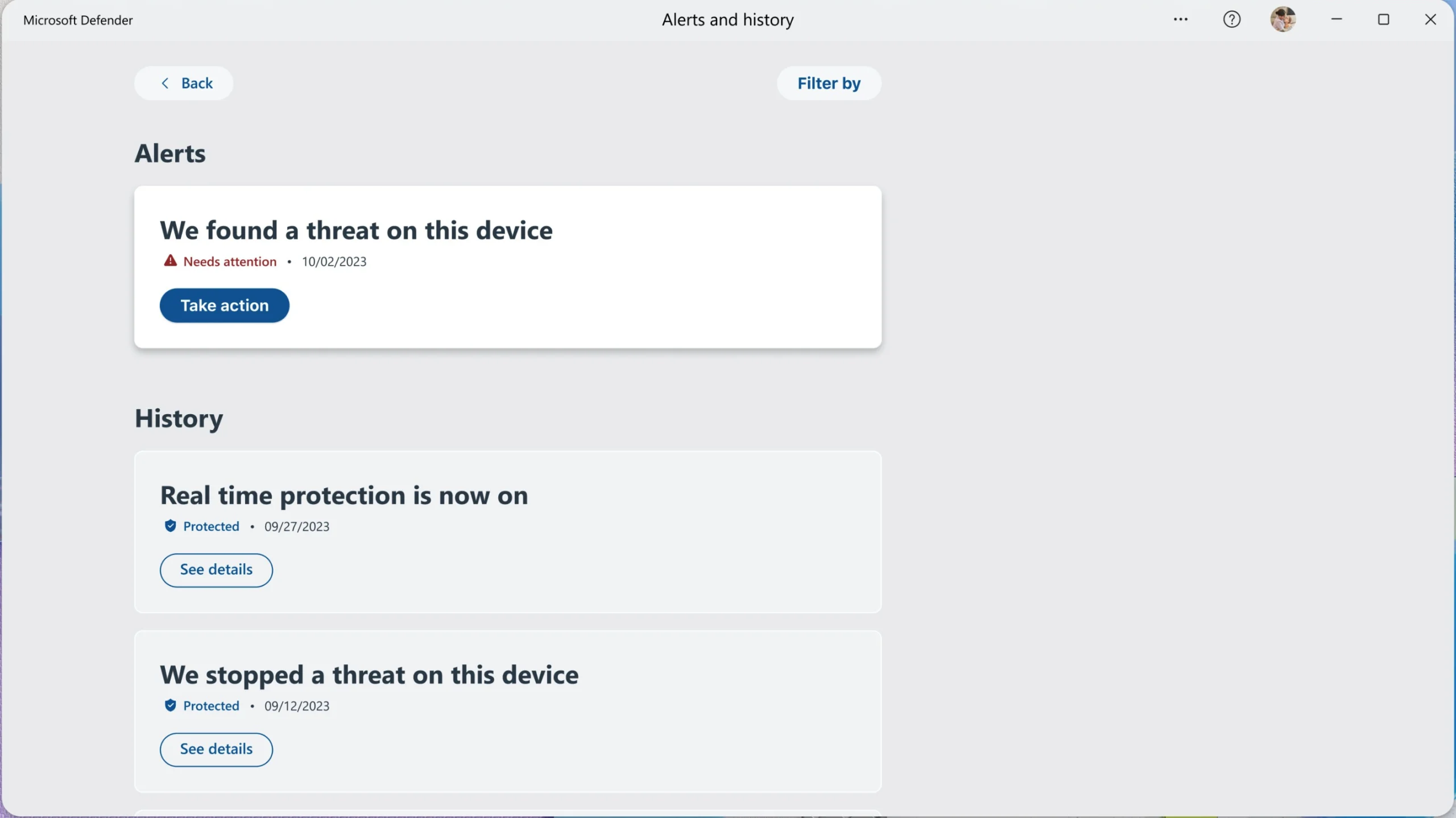
Defender ships on, updates itself through Windows Update, and never interrupts you with a renewal countdown or a discount wheel. There is no installer, no account creation, no license key, and the controls live in one Windows Security app: real-time scanning, the firewall, SmartScreen checks on downloads, controlled folder access against ransomware, and cloud-delivered detection for brand-new threats. Everything except that ransomware folder shield arrives switched on, and the average person never touches any of it, which is precisely the point.
Ease of use: 5 out of 5. You cannot beat software you never had to think about.
Performance, heavier than its reputation
The assumption that built-in means lighter does not survive the data. In AV-Comparatives’ April 2026 Performance Test, Defender finished mid-pack and took the plain Advanced award rather than Advanced+, meaning several paid suites tax the system less than the free default does. To keep this fair, that comparison is genuinely like-for-like: Microsoft grants qualified vendors the same deep platform hooks Defender enjoys, so nobody in the table is running with a handicap. Day to day you will notice this mostly during full scans and large file transfers, not while browsing.
Performance: 3.5 out of 5. Fine for most machines, no longer a bragging right.
Value against the subscription crowd
The price is zero, forever, with no tier games. What you give up against a paid suite is the bundle: no VPN, no password manager, no identity or dark web monitoring. This review treats those as conveniences rather than protection, and judges a free tier for what it is. On protection delivered per dollar, nothing in the category touches Defender, because any number divided by zero cost wins the argument.
Value: 5 out of 5. The strongest column on the card.
Trust, including the advice Microsoft deleted
Here the story gets interesting. In January 2026, Microsoft published a Windows Learning Center article saying that for many users, Defender’s protection is plenty. In April a bolder piece appeared on the same site, widely reported under the message that Windows 11 no longer needs third-party antivirus at all. By early June that bolder page had been quietly removed, and the measured January guidance stood in its place. AV-Comparatives, which has tested Microsoft’s protection since 2007, publicly called the removal a constructive step. The same commentary noted, citing CISA’s Known Exploited Vulnerabilities catalog, that several Defender flaws landed in that catalog in May 2026 and were patched through the normal update channel.
None of that is disqualifying. Every vendor’s security software has security bugs, Microsoft patches quickly through a channel you already use, and Defender never pushes upsells or plays renewal games, which is more than several paid rivals can claim. But when even the maker retreats from its own strongest claim, the honest score keeps a little in reserve.
Trust: 4 out of 5. Clean behavior, quick patching, and a vendor that blinked.
The stars, assembled
Weighing protection and value heaviest, as this site always does, the card averages out above four and the judgment call lands at 4.5 out of 5. For the average person on an updated Windows 11 machine, the answer to the title is yes.
Three groups should read their exception before accepting that verdict.
If one of those is you, a paid suite is a reasonable spend, and Bitdefender is the pick we would make: the same top-tier protection with a stronger offline engine and the browser-agnostic extras. The genuine installer is on the Bitdefender page in our library, the wider category lives on the Security and Privacy shelf, and if you want the full field ranked, our free antivirus ranking covers nine of them. There is also AV-Comparatives’ fair argument that a diverse security ecosystem beats a monoculture as AI-assisted vulnerability hunting accelerates; for businesses that carries real weight, while one careful person with one updated laptop is covered by the built-in layer plus regular backups.
Our prediction, committed to: the built-in option keeps absorbing the baseline job of this category, the paid market retreats further into extras and identity services, and within a few years the question in this title stops being asked at all. Until then, keep the defaults on and put the subscription money toward a backup drive.


